KingPurger — All-in-One Linux System Utility
A downloadable tool for Linux
KingPurger is the only all-in-one system utility for Linux — 19 tools in a single app, built for beginners and experienced users alike. No terminal needed. No configuration. Just download, run, and take control of your system.
Works on 50+ distributions out of the box: Arch, Manjaro, CachyOS, Ubuntu, Debian, Fedora, openSUSE, Void, Gentoo, Solus, Clear Linux, and every derivative. One app for every Linux distro.
---
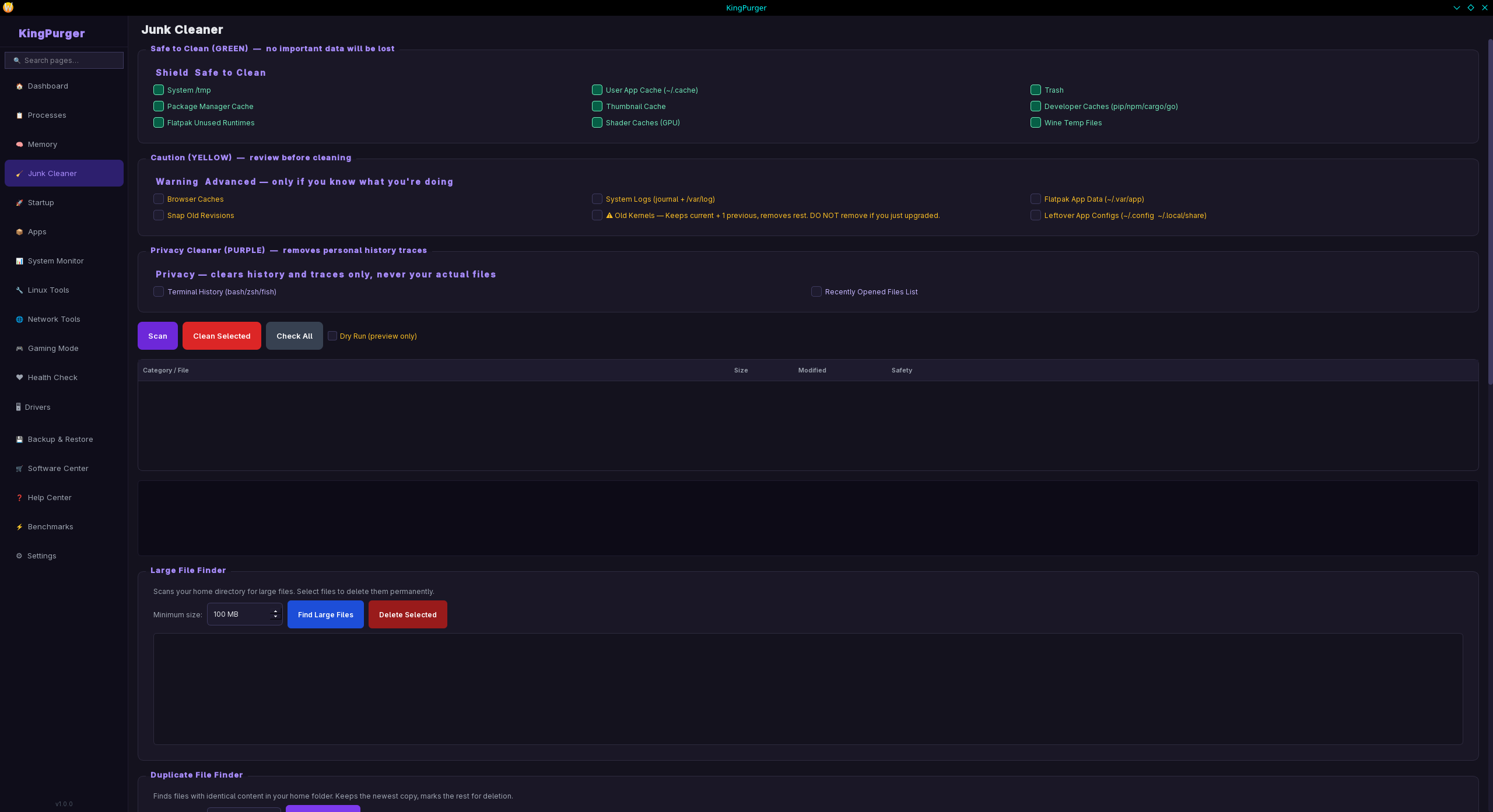
## System Cleaning
Clean junk files across 21 categories. Safe items (temp files, package caches, thumbnail cache, shader caches, dev tool caches, Wine temp files, Flatpak unused runtimes) are separated from advanced items (browser cache, app logs, old kernels, orphaned configs). Privacy cleaning removes shell history, recently opened files, and browser history while keeping your bookmarks and passwords. Large file finder locates files over 100MB. Duplicate file detector finds and removes identical files. Scheduled automatic cleaning (daily, weekly, monthly).
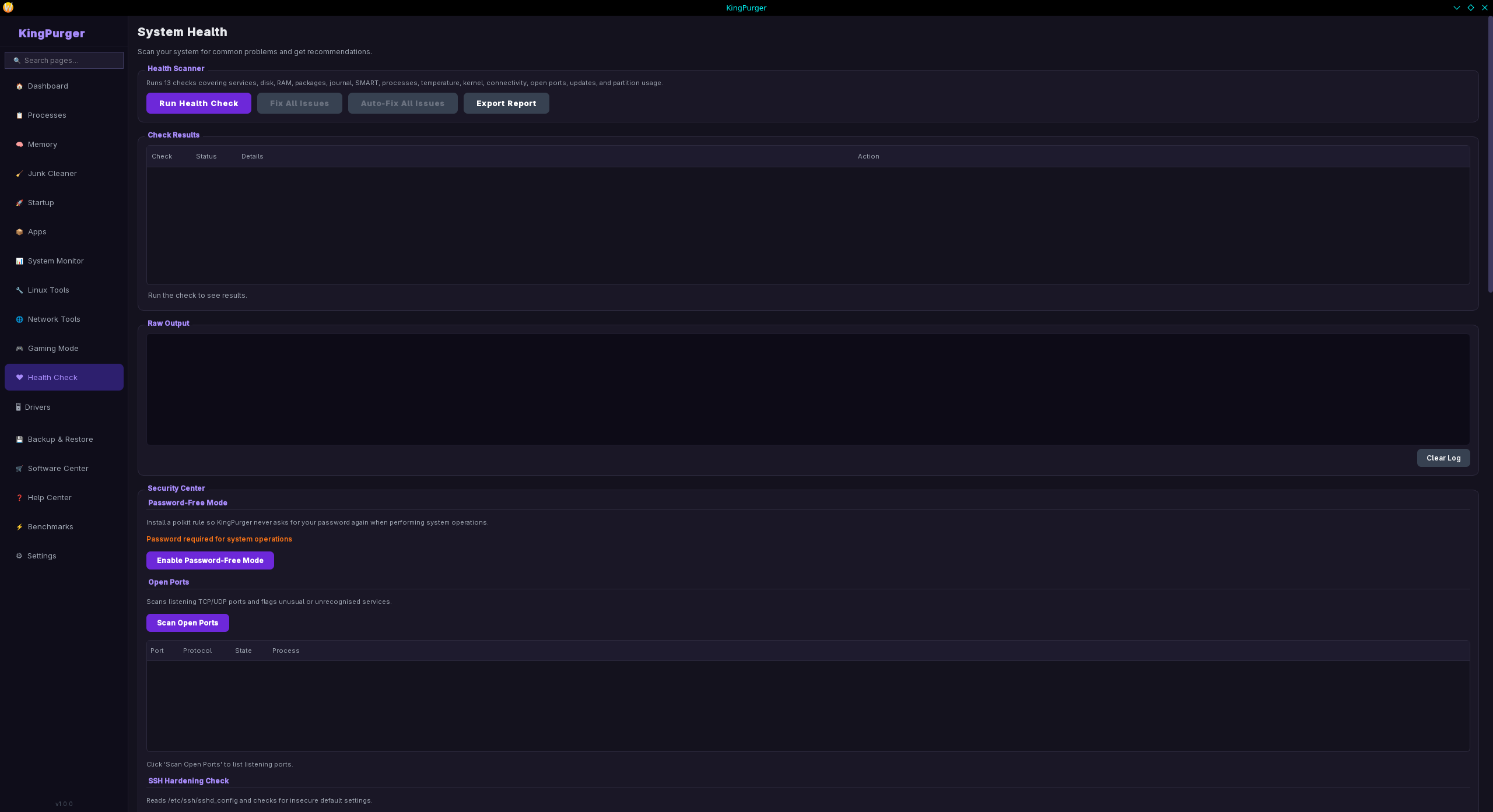
## System Health
13-point health scanner checks: broken packages, failed services, disk S.M.A.R.T. status, RAM errors, journal errors, runaway processes, CPU temperature, kernel messages, network connectivity, open ports, available updates, and partition usage. Each check shows pass/warning/critical. One-click auto-fix attempts to repair all detected issues. Export full health report to Desktop.
## Dashboard
Live CPU%, RAM%, and network MB/s with 3-second refresh. Full hardware info: CPU model, cores, cache, ISA features (AVX-512, AVX2, AES-NI, virtualization). GPU name, VRAM, temperature, power draw, utilization, clock speed. Motherboard and BIOS info. UEFI/Legacy detection. Secure Boot status. Battery health (charge%, cycle count, wear%). Storage overview with color-coded usage. System health score 0–100.
## Performance Monitor
Real-time charts with 60-second history for CPU, RAM, Disk I/O, and Network. Per-core CPU view. Min/max/average statistics. Disk read/write bandwidth per device. Network RX/TX per interface.
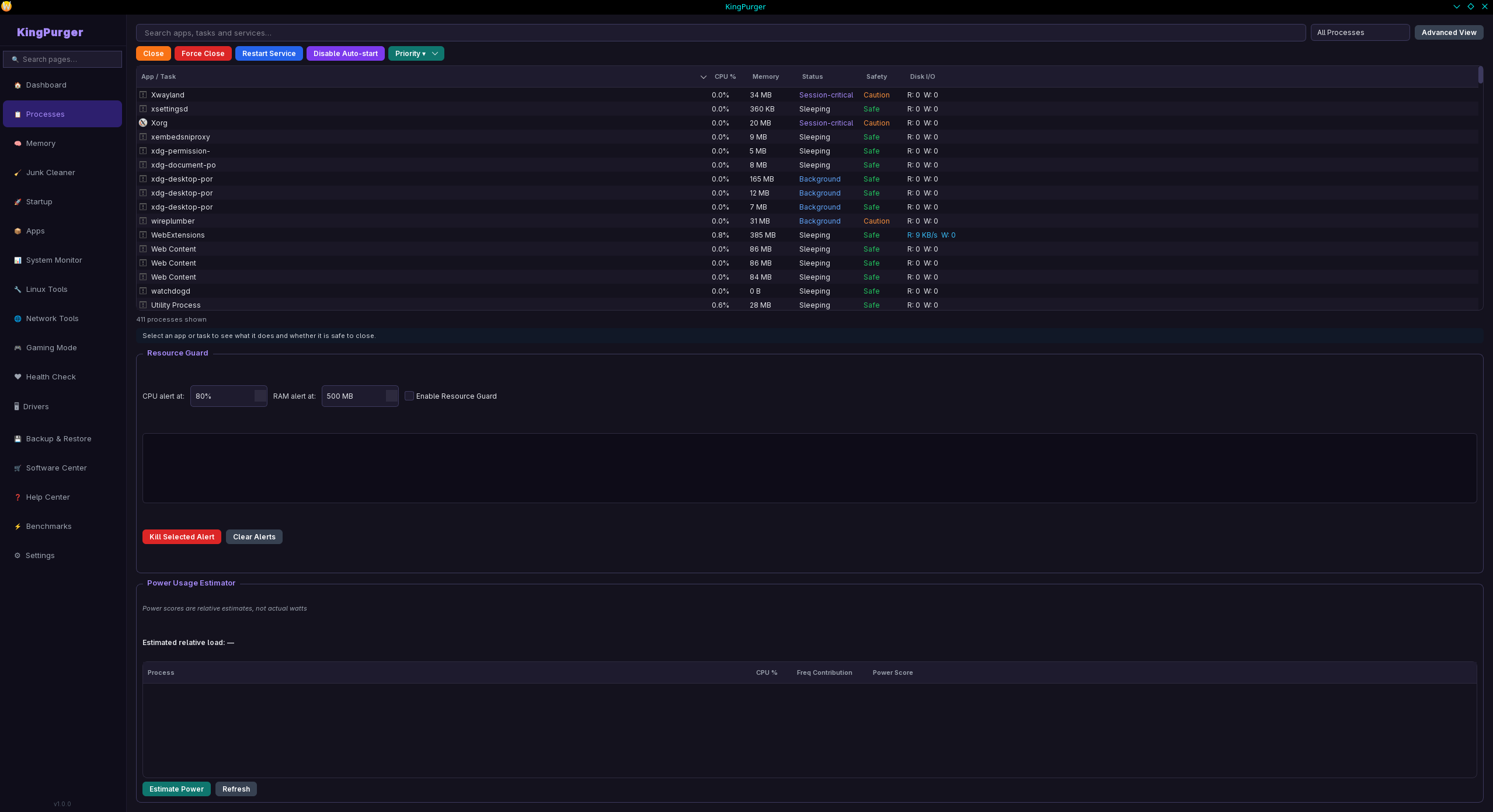
## Process Manager
Full process list with PID, CPU%, memory%, priority, state, and user. Filter by apps, background services, system tasks, or kernel tasks. Terminate gracefully or force-kill. Change process priority (nice -20 to 19). Set CPU affinity. View parent-child process tree.
## Memory Optimizer
Real-time RAM and swap usage bars with GB display. Detailed memory breakdown (free, buffers, cached, available). ZRAM detection with compression ratio and memory saved. Drop page caches. Toggle swap. Create ZRAM devices for memory compression.
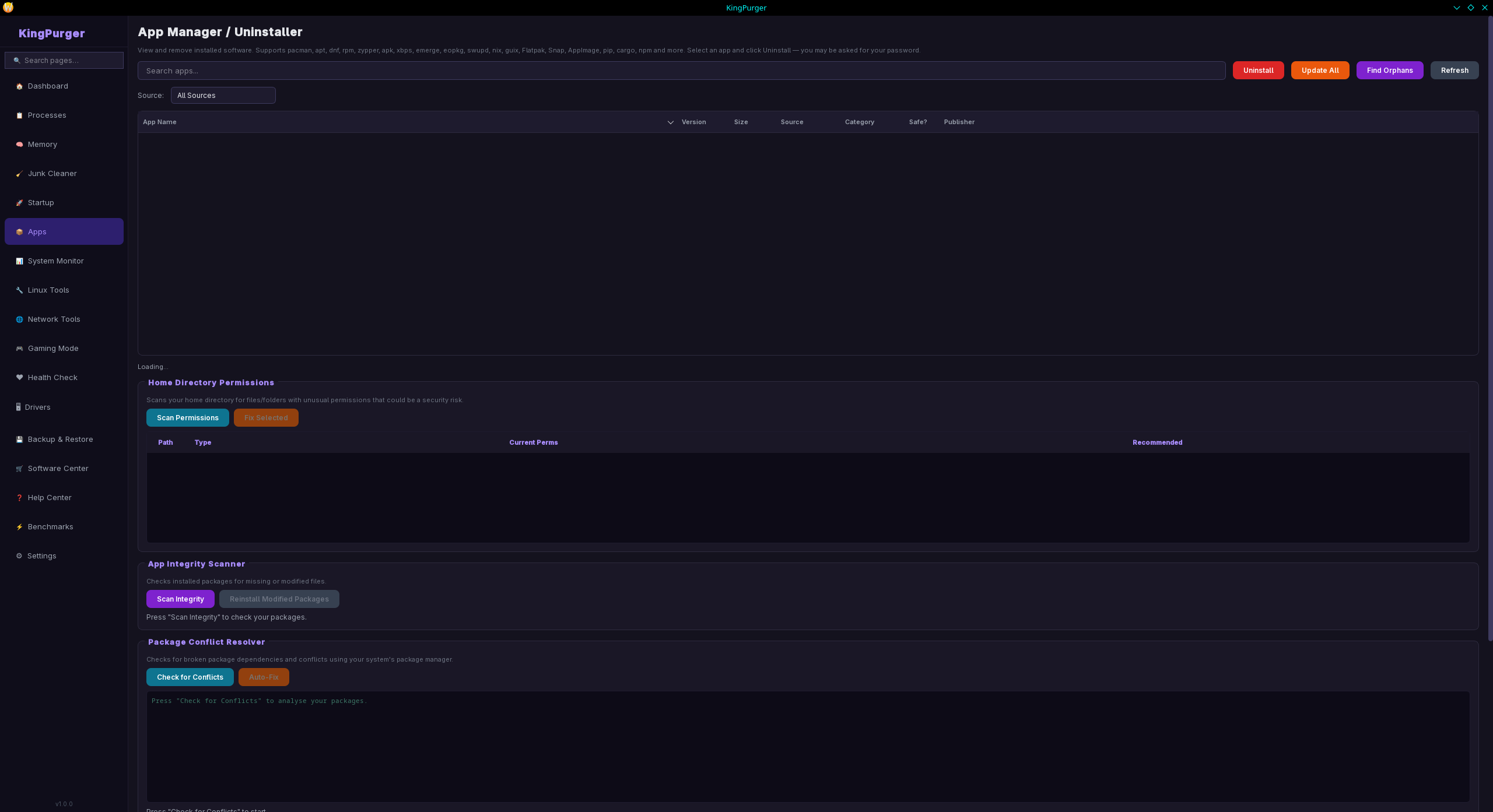
## App Manager
Manages apps across all sources: native packages (pacman, apt, dnf, zypper, apk, xbps, emerge, eopkg, swupd), Flatpak, Snap, AppImage, pip, cargo, and npm. Uninstall any app. Force-uninstall with dependency bypass. Find and remove orphaned packages. Scan and fix incorrect file permissions. Detect package conflicts. Clean leftover configs from uninstalled apps. Package integrity scanner with auto-fix.
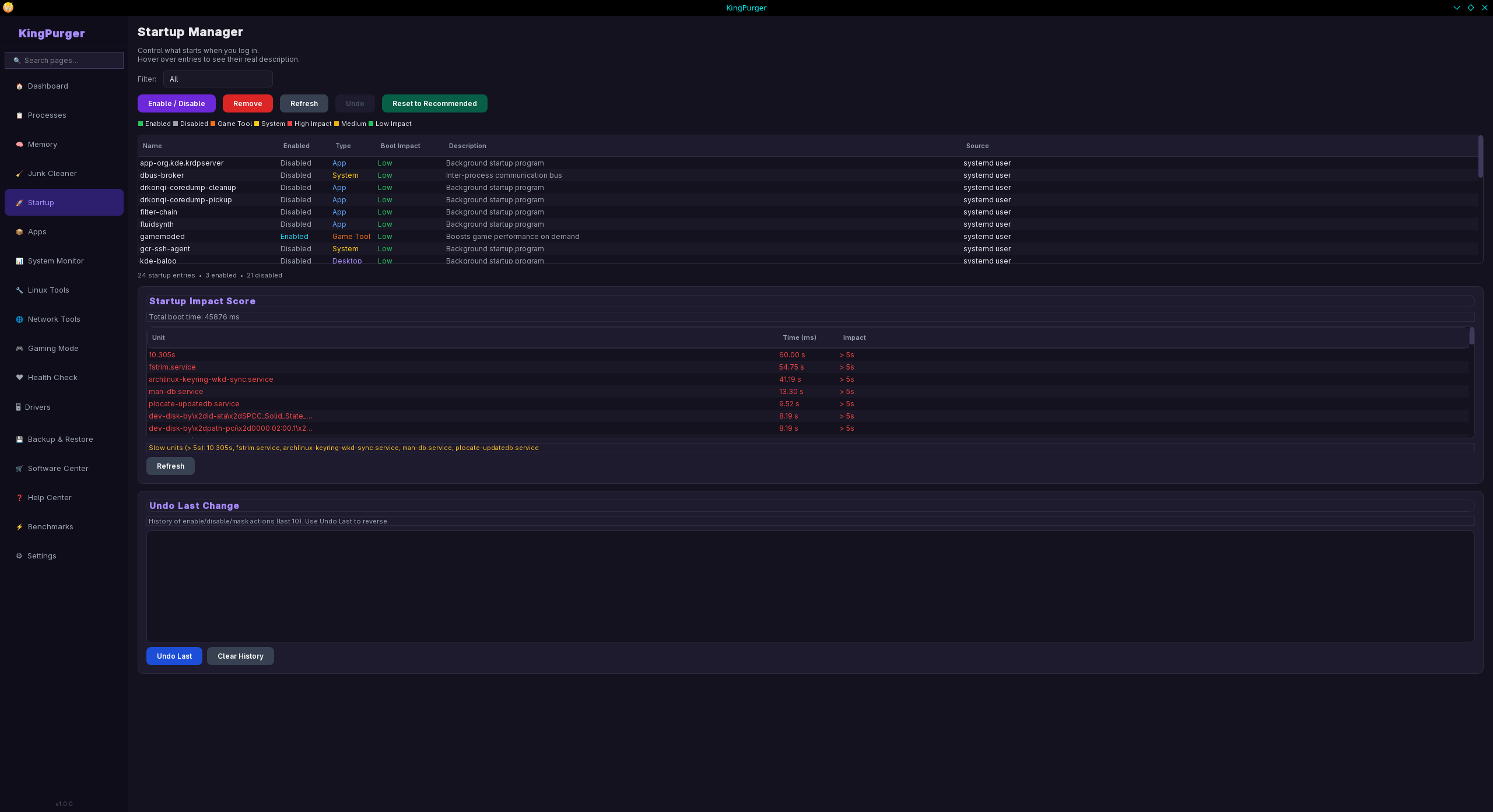
## Startup Manager
Lists all autostart entries: systemd user/system units and desktop autostart files. Shows boot impact (High/Medium/Low) per entry. Enable/disable any entry. Remove permanently. Undo last action.
## Driver Checker
Detects GPU vendor and driver (amdgpu, i915, nvidia, nouveau). Checks for missing or suboptimal drivers. Vulkan support verification. Firmware update check and installation via fwupdmgr. Kernel module scanner — load and unload modules. WiFi diagnostics (soft/hard block, rfkill). Bluetooth diagnostics. Audio diagnostics (PipeWire, PulseAudio, ALSA). Webcam detection.
## Linux Tools
- Kernel Manager — list installed kernels, remove old ones safely (running kernel is protected)
- GRUB Manager — load, edit, and save /etc/default/grub with double confirmation
- System Update — full system upgrade via your package manager
- Failed Services — detect and restart failed systemd units
- Time Sync — check and fix system clock synchronization
- Flatpak Repair — repair both system and user Flatpak installations
- USB Diagnostics — scan dmesg for USB errors
- Boot Time Analyzer — systemd-analyze breakdown and blame list
- Journal Manager — view errors/warnings, vacuum old logs
- Port Scanner — list open ports with associated processes
- Disk S.M.A.R.T. — health, temperature, wear level per drive
- Display Diagnostics — detect display server, resolution, refresh rate
- Bluetooth Reset — full Bluetooth config reset and service restart
- Sound Troubleshooter — detect and repair PipeWire/PulseAudio issues
## Network Tools
List all network interfaces with IP, MAC, and speed. DNS flush. NetworkManager restart. WiFi restart. Internet connectivity test with latency. Speed test (download and upload via Cloudflare). Traceroute. Active connection list with processes.
## Gaming Mode
One-click enable/disable. Three presets: Balanced, Performance, Extreme. Disables non-essential background services during gaming. Sets CPU governor to performance. Boosts GPU clocks (AMD/NVIDIA). Reduces swap pressure. Clears GPU memory caches. Detects Steam games and Proton versions. Battery charge threshold limiter (80% cap for laptop longevity). Restores all previous settings when disabled.
## Backup & Restore
Selective backup: dotfiles, SSH keys, GPG keys, browser profiles (Firefox, Chrome, Chromium, Brave), app configs, desktop environment configs, shell configs, fonts, themes, wallpapers, desktop shortcuts. Backup presets: Essentials, Recommended, Full. .tar.gz compressed archives with date-stamped filenames. Optional encryption. BTRFS/LVM snapshot creation and restore. Scheduled automatic backups. Restore preview before applying. Backup integrity verification.
## Software Center
Curated catalog of popular applications across 11 categories: Browsers, Media, Development, Games, Utilities, Office, System, Communication, Gaming, Productivity. One-click install (Flatpak preferred, falls back to native package manager). Shows installation status. Search by name or description.
## Benchmark Suite
CPU benchmark (SHA-256 hashing, single-core, hashes/second). Disk benchmark (random read/write, MB/s). RAM benchmark (memory bandwidth, GB/s). Color-coded results against reference values.
---
## How to Run
1. Download and extract the zip
2. Right-click the AppImage → Properties → make it executable (or run: chmod +x KingPurger-1.0.0-x86_64.AppImage)
3. Double-click to launch — no installation needed
---
## Notes
- Linux has many different distros and configurations, so behavior may vary between systems.
- Some features require administrator access. KingPurger will ask for your password once via a system dialog — it never stores it.
- Some operations may temporarily freeze the UI — this is normal. KingPurger runs real system commands in the background and the interface will respond again once the command completes.
- For bugs, suggestions, or new feature requests contact: stormosreport@gmail.com
---
Supported package managers: pacman, apt, dnf, zypper, yum, apk, xbps-install, emerge, swupd, eopkg, rpm-ostree — covering 50+ Linux distributions.
Download
Click download now to get access to the following files:
Leave a comment
Log in with itch.io to leave a comment.